









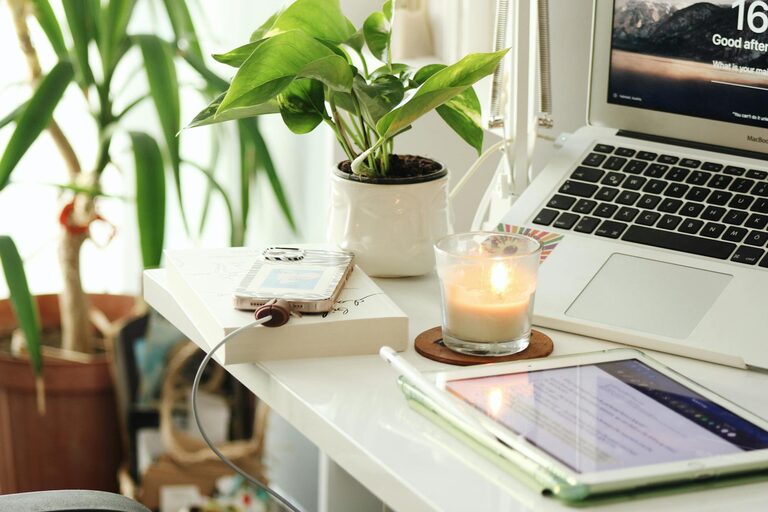
Creating a productive home office space is essential for anyone working remotely or juggling tasks from home. A well-organised and thoughtfully designed workspace can significantly improve your focus, comfort, and efficiency throughout the day. Whether you have a dedicated room or a small corner, the key is to optimise your environment to suit your work habits and needs. Here are practical tips to help you set up a home office that supports productivity and well-being.
Choose the Right Location
Finding the ideal spot for your home office is the first step towards productivity. Consider a quiet area with minimal distractions, where you can concentrate easily. If possible, select a room with a door to separate work from home life, helping you maintain boundaries.
Natural light is a bonus, so try to position your desk near a window. Exposure to daylight not only improves mood but also reduces eye strain. If space is limited, create a dedicated zone in a living area or bedroom that signals to your mind it’s time for work.
Invest in Comfortable and Functional Furniture
Comfort plays a significant role in keeping you focused. Choose an ergonomic chair that supports your back and encourages good posture. An adjustable chair allows you to personalise the seating to your height and desk setup.
Your desk should be spacious enough to hold your computer, documents, and any other tools you need without feeling cluttered. Standing desks or adjustable desks can offer flexibility, allowing you to switch between sitting and standing which can boost circulation and reduce fatigue.
Optimise Lighting
Good lighting reduces eye strain and promotes alertness. Besides natural light, add layers of lighting such as a desk lamp for focused tasks and overhead lighting to brighten the room evenly.
Avoid harsh fluorescent lights; instead, opt for warm or neutral white bulbs. Adjustable lamps help direct light exactly where you need it, making reading and computer work easier.
Declutter and Organise Your Space
A tidy workspace helps clear your mind. Keep only essential items on your desk and use organisers, shelves, and drawers to store supplies neatly.
Consider cable management solutions to keep wires untangled and out of sight. Label folders and containers to find documents quickly, reducing time wasted searching for things.
Personalise Your Workspace
Adding personal touches makes your work area inviting and inspiring. Keep a few favourite items like photos, plants, or artwork on display. Plants not only add colour but can improve air quality and create a calming atmosphere.
However, avoid overcrowding the space. Aim for a balance between practicality and comfort, ensuring personal items do not become distractions.
Minimise Noise and Distractions
Noise can disrupt your concentration, so consider ways to reduce it. Use noise-cancelling headphones if you are in a noisy environment. Alternatively, playing soft background music or white noise can help mask distracting sounds.
Inform others in your household about your work hours to minimise interruptions. Setting clear boundaries around your workspace will help maintain focus during working periods.
Create an Efficient Workflow
Arrange your workspace so that frequently used items are within easy reach. Keep your computer, phone, notepad, and stationery close to avoid unnecessary movement.
Digital organisation is just as important. Use tools like calendar apps, task managers, and cloud storage to keep your tasks and documents well organised.
Take Regular Breaks and Move Around
A productive workspace isn’t just about the physical setup; your habits matter too. Set a timer to remind yourself to take short breaks to stretch or walk around. Sitting for long periods can lead to discomfort and reduce productivity.
Using a standing desk or incorporating stretching exercises can promote better health and keep your energy levels up throughout the day.
Maintain Good Air Quality
Fresh air helps you stay alert and comfortable. If your home office has a window, open it regularly to let in fresh air. If that’s not possible, consider air purifiers or houseplants that improve air quality.
Keeping the space clean by dusting and vacuuming regularly will also create a healthier environment conducive to productivity.
Use Technology Wisely
Technology is at the heart of most home offices, so make sure your devices support your work efficiently. Invest in reliable internet connectivity and keep your hardware updated.
Use accessories like external monitors, keyboards, and mice to improve comfort and efficiency. Utilise backup solutions and antivirus software to protect your work.
—
Setting up a productive home office takes some planning and adjustments, but the benefits are well worth the effort. By choosing the right location, investing in comfortable furniture, organising your space, and maintaining healthy habits, you can create a work environment where focus and creativity flourish. Start with small changes and personalise your workspace until it becomes a place you look forward to spending time in every day.